Accessibility Overlays Don’t Work: Why accessiBe & UserWay Get You Sued (2026)

In the first half of 2025, nearly one quarter of all website accessibility lawsuits were filed against businesses that had installed accessibility overlay tools. These tools were originally purchased by businesses at a cost to avoid legal risks, and this very outcome is precisely the core reason why people are searching for alternative solutions.

Many overlay tools that advertise ADA compliance claim that businesses only need to embed a single script to meet accessibility standards with one click. In reality, these tools not only fail to help enterprises avoid legal risks, but also become specific markers that plaintiffs’ lawyers actively search for to target companies for lawsuits. Our guide will cover the reasons these tools fail, the U.S. Federal Trade Commission (FTC)’s investigation findings against leading suppliers of such tools, and the legitimate path to true compliance.

What an Accessibility Overlay Actually Is

Accessibility overlay tools, also known as components or plugins, are JavaScript (JS) toolkits that load once a webpage has finished rendering. Mainstream products include accessiBe’s accessWidget and UserWay.

This web accessibility remediation script loads at runtime. It can scan and fix page issues, inject ARIA attributes, adjust focus order, and generate alt text for images. It also provides a sidebar that allows visitors to adjust the page’s contrast ratio and font size.

Many compliance-focused auxiliary technology products on the market tout that they can achieve instant compliance with only one line of code and no additional development work required. This set of claims not only violates the industry’s basic operational logic, but also fails to meet the compliance assessment criteria stipulated in current laws.

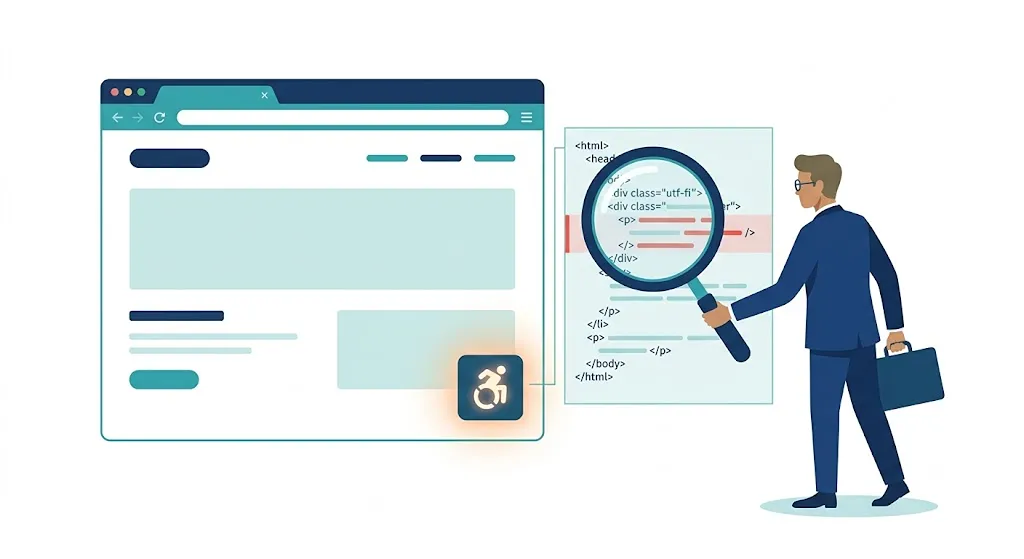
Diagram showing why accessibility overlays load after screen readers read raw HTML

The timing problem at the core of every overlay

All providers of web accessibility overlays cannot avoid a core technical deadlock: screen readers only read the raw HTML delivered by servers, so their marketing logic that relies on front-end patches to fix accessibility flaws is completely untenable.

Web accessibility overlay scripts only run after HTML has completed transmission and rendering. By the time these scripts attempt to fix page defects, screen readers have already finished parsing the original error-ridden markup, rendering the repair completely ineffective.

The accessibility defects of many websites cannot be fixed through the surface-level measure of injecting JavaScript. This approach fails to address four core categories of problems, including the correct association of form labels and logical heading hierarchy, all of which lie outside its scope. Resolving these issues requires modifications to the underlying source code, rather than the addition of supplementary surface-level patches.

Why Overlays Fail WCAG (And Why Courts Don’t Care About Them)

Accessibility overlays are completely unable to pass WCAG compliance testing. The compliance attributes mandated by WCAG are inherently part of a website’s native source code; these additional external add-on scripts have no authority to modify the underlying site architecture, and thus naturally fail to meet the required compliance standards.

The previously mentioned marketing reality gap is backed by solid quantitative data, and the relevant matter has now entered the federal law enforcement phase.

FTC $1 million penalty against accessiBe over false WCAG compliance claims

The accessiBe overlay lawsuit 2025 reckoning

In January 2025, the U.S. Federal Trade Commission filed a lawsuit against accessibility tool vendor accessiBe. On April 22 of that same year, the agency approved a final order, imposing a $1 million fine and barring accessiBe from making false claims that its products can enable any website to meet the WCAG accessibility standards.

The U.S. Federal Trade Commission (FTC) determined that accessiBe committed two violations: its accessWidget failed to meet the WCAG standards it claimed to satisfy, its related promotional claims were false, and its sponsored reviews were disguised as third-party content without disclosure of its relevant conflicts of interest.

The FTC ruling against accessibility tool vendor accessiBe will produce impacts that extend far beyond the implicated company itself. These effects will manifest in relevant judicial scenarios across the entire industry, and will serve as a core reference for all subsequent regulatory oversight and dispute resolution efforts.

2025 statistics on ADA website accessibility lawsuits targeting overlay tools
Overlays may make you a bigger target, not a smaller one

In the first half of 2025, the 456 lawsuits targeting sites that host overlay services accounted for 22.6% of all lawsuits logged in that period. Overlay purchasers must confront the current reality that only two negative interpretations of their relevant activities are available.

This study finds that this type of privacy compliance pop-up tool cannot provide websites with any litigation protection.

The probability of being sued is exactly the same for websites that install these tools and those that do not. Instead, these pop-ups are interpreted by plaintiff attorneys as evidence that the website knowingly violated regulations, and this interpretation has been upheld by multiple courts.

The U.S. federal ADA website compliance field is currently facing new litigation pressure. Among relevant complaints recorded in 2025, 40% come from pro se plaintiffs who use AI scanning tools. These AI tools only detect the original server-side HTML of services; the modifications made by mainstream overlay compliance tools cannot be identified by the AI, rendering these common tools completely incapable of fending off this new category of lawsuits.

Major mainstream disability advocacy organizations, including the U.S. National Federation of the Blind, have publicly opposed overlay-type products for many consecutive years. The disabled groups that these products are designed to serve have also pointed out that such tools impede their own use.

The litigation wave is widening, not slowing

The issue of tool stacking in the digital accessibility field is caught amid a nationwide surge of lawsuits filed under the Americans with Disabilities Act (ADA) of the United States. In the first half of 2025, the number of such lawsuits rose 37% year-on-year, while the total number of cases accepted by federal courts across the country for the full year exceeded 8,000. Illinois saw a growth rate of over 745%, a trend driven by plaintiff law firms transferring cases across state lines.

The financial risks associated with website accessibility-related lawsuits are by no means small. Settlement amounts for most of these cases range from $5,000 to $75,000, and this sum does not even cover the costs of legal defense, site remediation, and compliance monitoring. In 2025, a fashion retailer paid a $5.15 million settlement to resolve a class-action lawsuit of this type, and the upper limit of compensation payouts for such cases continues to rise.

Speculative compliance tools such as web overlays and widgets are completely ineffective. They fail to reduce data exposure, lower settlement amounts, persuade plaintiffs’ expert witnesses, or fix the core issues of problematic code flagged by AI.

Comparison of accessibility overlay versus code-level remediation for WCAG compliance

The Real accessiBe Alternatives and userway Alternative: Code-Level Remediation

We strongly caution all teams currently weighing alternatives to Accessibe and Userway that they must not replace these tools with other similar solutions, and should instead advance code-level accessibility fixes.

In the field of web accessibility, code-level remediation refers exclusively to native code fixes. This measure must take effect before assistive technologies intervene, and three types of non-native repair solutions, including runtime patching, are prohibited.

What code-level remediation actually fixes

Only genuine restoration can solve the structural problems that surface-level covering cannot address:

This paper sorts out 5 core practical specifications for web accessibility development, which are listed in a parallel format for front-end developers to check one by one: First, adopt semantic HTML with standardized heading hierarchies to support navigation for screen reader users.

second, bind all forms to visible labels, and ensure error messages are compatible with assistive technologies.

third, all interactive elements support keyboard access and feature visible focus states.

fourth, use ARIA only when native HTML cannot achieve the required functionality, and prohibit its misuse.

fifth, manually write accurate alt text for all images.

Checklist of five most common WCAG accessibility violations on websites
The failures overlays leave behind

First, it must be made clear that the core issues that trigger website accessibility lawsuits cannot be resolved by compliance overlay tools. Repeated analyses across the industry have consistently identified a small set of the same WCAG violations, which account for the vast majority of all detected problems.

We have compiled a negative verification checklist for accessibility compliance that meets WCAG requirements, which includes five high-frequency vulnerabilities: low-contrast text

images missing alternative text

forms with no associated labels

empty link and button elements

missing document language declarations.

All web accessibility issues requiring remediation are inherent properties of deployed HTML pages. Interface overlays can only mask surface-level problems during runtime, while flaws in underlying markup will still be detected by tools such as screen readers. Only code-level fixes can fundamentally avert the compliance risks that could lead to litigation.

Why this is the only durable fix

This study proposes that the practice of embedding web accessibility remediation solutions into source code fully meets compliance requirements. This approach can be uniformly identified by screen readers, AI scanners, and the technical experts working for plaintiffs’ legal representatives, completely eliminating the gap between stated accessibility claims and a website’s actual accessible capabilities.

We propose that code-level work focused on website accessibility goes far beyond merely pasting generic scripts. This work requires auditing and corrective remediation aligned with the WCAG 2.2 AA standard, as well as long-term ongoing monitoring. It constitutes a sustained state of continuous maintenance, and is by no means a one-off checkbox task that can be completed once and for all.

Native accessibility development can deliver benefits that web accessibility overlays and runtime patches can never achieve. The semantic markup built to serve screen readers is also compatible with web crawlers; the resulting code is clean and easy to maintain, and this approach benefits all site visitors. Developing native accessibility is never merely purchasing a compliance shield; it fundamentally improves product quality, which is the core value that temporary patches cannot provide.

If you want a clear picture of where your site stands today, a free accessibility assessment is the fastest way to see your real exposure before you spend a dollar on remediation.

Frequently Asked Questions

Does installing an overlay protect me from an ADA lawsuit?

Site owners who wish to gain a clear understanding of their website’s status may use a free accessibility assessment before investing any funds for site rectification, to quickly identify the true accessibility risks present on their site.

Are accessiBe and UserWay illegal to use?

Does installing an overlay protect me from an ADA lawsuit?

What is the difference between an overlay and code-level remediation?

Overlay-type web accessibility plugins cannot serve as a legal basis to avoid liability for non-compliance with accessibility requirements. In the first half of 2025, 22.6% of websites involved in legal disputes had installed such plugins. Courts have repeatedly rejected these plugins as valid evidence of regulatory compliance. The U.S. Federal Trade Commission (FTC) imposed a $1 million fine on accessiBe, overturning the company’s false marketing claims.

How do I know if my site has accessibility problems?

Are accessiBe and UserWay illegal to use?

The Bottom Line: Skip the Overlay, Fix the Code

The accessibility overlay plugin, the overlay itself, is not illegal in and of itself. It may still be installed if its visitor-facing control functions are practical. However, it must not be treated as the full scope of an entity’s ADA compliance strategy. Otherwise, the relevant entity may face lawsuits and be held legally liable due to defects in the overlay’s underlying code.

What is the difference between an overlay and code-level remediation?

Get a Free Accessibility Assessment — No Overlay Nonsense. See exactly where your site stands and what code-level remediation would actually involve: request your assessment here.