The Power of Alt Text: How Descriptive Images
Boost Accessibility and SEO

Every image on your website tells a story. But for the 7.5 million Americans living with a visual impairment, that story is completely silent — unless you write it for them.

Alt text is one of the simplest, most powerful tools in your accessibility toolkit. Yet it remains one of the most consistently misused or ignored elements across the web. In this guide, we break down exactly what alt text is, why it matters, and how to write it in a way that genuinely serves both your users and your search rankings.

What Is Alt Text?

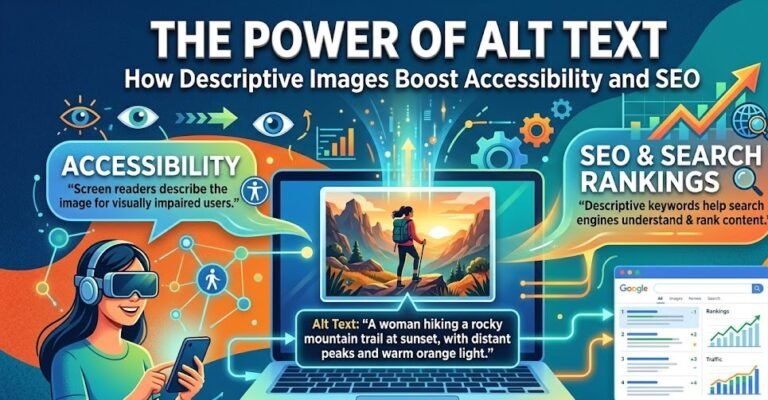
Alt text (alternative text) is a written description added to an HTML image tag. It serves two primary purposes:

For users: Screen readers read alt text aloud to blind or low-vision users, giving them access to the information conveyed by the image.

For search engines: Google, Bing, and other search engines cannot “see” images — they rely entirely on alt text to understand what an image contains and index it accordingly.

Here is what it looks like in code:

html

<img src="audit-checklist.jpg" alt="A developer reviewing a WCAG accessibility checklist on a laptop screen">

Why Most Alt Text Fails

The WebAIM Million report — which analyzes the top 1,000,000 websites for accessibility failures — consistently finds that missing or inadequate alt text is one of the most common WCAG violations, appearing on over 54% of home pages.

Common mistakes include:

1. Leaving it blank. An empty alt attribute (alt="") tells screen readers to skip the image entirely. This is correct only for purely decorative images.

2. Using file names. Alt text like alt="IMG_20240312_094521.jpg" provides zero meaningful information.

3. Starting with “Image of” or “Picture of.” Screen readers already announce images as images. Starting your alt text this way is redundant and wastes the listener’s time.

4. Keyword stuffing. Writing alt="WCAG accessibility audit compliance WCAG 2.2 ADA Section 508" might seem like an SEO win — it is not. It creates a poor experience for screen reader users and can trigger Google penalties.

How to Write Alt Text That Actually Works

The best alt text is concise, contextual, and descriptive. Here are the rules we follow at Access Level Up:

1. Describe the function, not just the appearance

Ask yourself: What does this image communicate? Rather than describing pixels, describe meaning.

alt="Woman at a desk"
alt="An accessibility consultant reviews a website audit report with a client"

2. Keep it under 125 characters

Most screen readers cut off after approximately 125 characters. Keep your descriptions tight and front-load the most important information.

3. Leave decorative images empty

If an image is purely decorative — a background pattern, a divider line, a stock photo with no informational value — use an empty alt attribute:

html

<img src="divider.png" alt="">

This tells screen readers to skip the image entirely, improving the listening experience.

4. Context is everything

The same image may require different alt text in different contexts. A photo of a wheelchair user on your homepage hero might need alt="Person using a wheelchair browsing an accessible website", while the same photo used as a profile image might need alt="Profile photo of Maria, an accessibility consultant".

5. For complex images, go further

Charts, graphs, infographics, and diagrams require more than a brief description. Consider:

  • Writing a full text alternative in the surrounding content
  • Adding a longdesc attribute linking to a detailed description page
  • Using a <figure> and <figcaption> combination

The SEO Connection

Here is where many teams are leaving easy gains on the table. Google’s image search is driven almost entirely by alt text, surrounding text, and file names. Well-written alt text:

  • Helps your images appear in Google Image Search results
  • Reinforces the semantic meaning of your page content
  • Contributes to your overall on-page SEO signals
  • Reduces bounce rate by improving experience for all users

A study by Moz found that pages with optimised image alt attributes ranked measurably higher for their target keywords compared to equivalent pages with missing or keyword-stuffed alt text.

A Quick Alt Text Checklist

Before you publish any page or post, run through this checklist:

  • ✅ Every meaningful image has alt text
  • ✅ Decorative images have empty alt attributes (alt="")
  • ✅ No alt text starts with “Image of” or “Photo of”
  • ✅ No file names used as alt text
  • ✅ All alt text is under 125 characters (or has a long description alternative)
  • ✅ Alt text reflects the context, not just the content
  • ✅ Charts and graphs have full text alternatives

Start Small, Win Big

You do not need to overhaul your entire website overnight. Start with your most-visited pages — your homepage, key service pages, and your most recent blog posts. Fix the alt text there first, monitor your search rankings and accessibility scores, then work outward.

If you are not sure where your current alt text failures are, a free accessibility assessment can identify every missing or inadequate alt attribute across your site in minutes.


Access Level Up provides expert accessibility audits, remediation, and ongoing compliance monitoring for organisations across North America. If you are ready to make your digital presence inclusive for everyone, get in touch with our team today.