Here’s something most site owners don’t realize until it’s too late: your website can pass an accessibility audit on a Monday and fail it by Friday. Not because anyone did anything malicious — just because a developer shipped a new component, a designer swapped out a color palette, or someone in marketing uploaded a batch of images without alt text.
That’s the uncomfortable truth about accessibility in 2026. WCAG 2.2 AA has become the baseline everyone’s expected to meet, ADA lawsuit filings are hitting record numbers, and yet so many organizations still treat compliance like a box they checked once and can forget about. It doesn’t work that way anymore. If it ever did.
This piece walks through why accessibility compliance monitoring has become non-negotiable, what it actually looks for under the hood, and how to build a program that keeps you out of legal trouble without turning your dev team’s life into a nightmare of endless remediation tickets.
Why Sites Drift Out of Compliance Without Anyone Noticing
Websites aren’t static. They’re living, breathing things that change constantly — new features get pushed, plugins get updated, content gets added, and design systems get refreshed. Every one of those changes is a chance for something to quietly break.
A modal window added mid-sprint might trap keyboard focus. A new hero banner might look great but fail contrast requirements under WCAG 2.2’s tighter rules. A CMS plugin update might strip out ARIA labels nobody even knew were load-bearing.
None of this shows up in a code review unless someone’s specifically looking for it. And most teams aren’t. So the barriers pile up, invisible, until a user complaint lands in someone’s inbox — or worse, a demand letter shows up instead.
The Problem With Treating an Audit as a One-and-Done
An accessibility audit tells you where you stood on the day it happened. That’s it. It’s not a guarantee, and it’s definitely not protection against what happens the following week.
A few real situations make this pretty clear:
An e-commerce site redesigns its checkout flow, and suddenly the “Place Order” button is unreachable by keyboard because a new overlay is stealing focus. A university rolls out a slick new course registration widget from a third-party vendor, and it turns out the widget has zero screen reader support — locking out students who rely on JAWS or NVDA. A government portal pushes a CSS refresh, and the focus indicator’s contrast drops below the 3:1 ratio WCAG 2.2 now requires under Success Criterion 2.4.11.
These aren’t edge cases dreamed up to scare people. In 2025 alone, 1,427 companies got sued for ADA website violations despite having already faced accessibility claims before. That’s not a coincidence — it’s proof that fixing something once doesn’t mean it stays fixed.
What Continuous Monitoring Is Actually Checking For
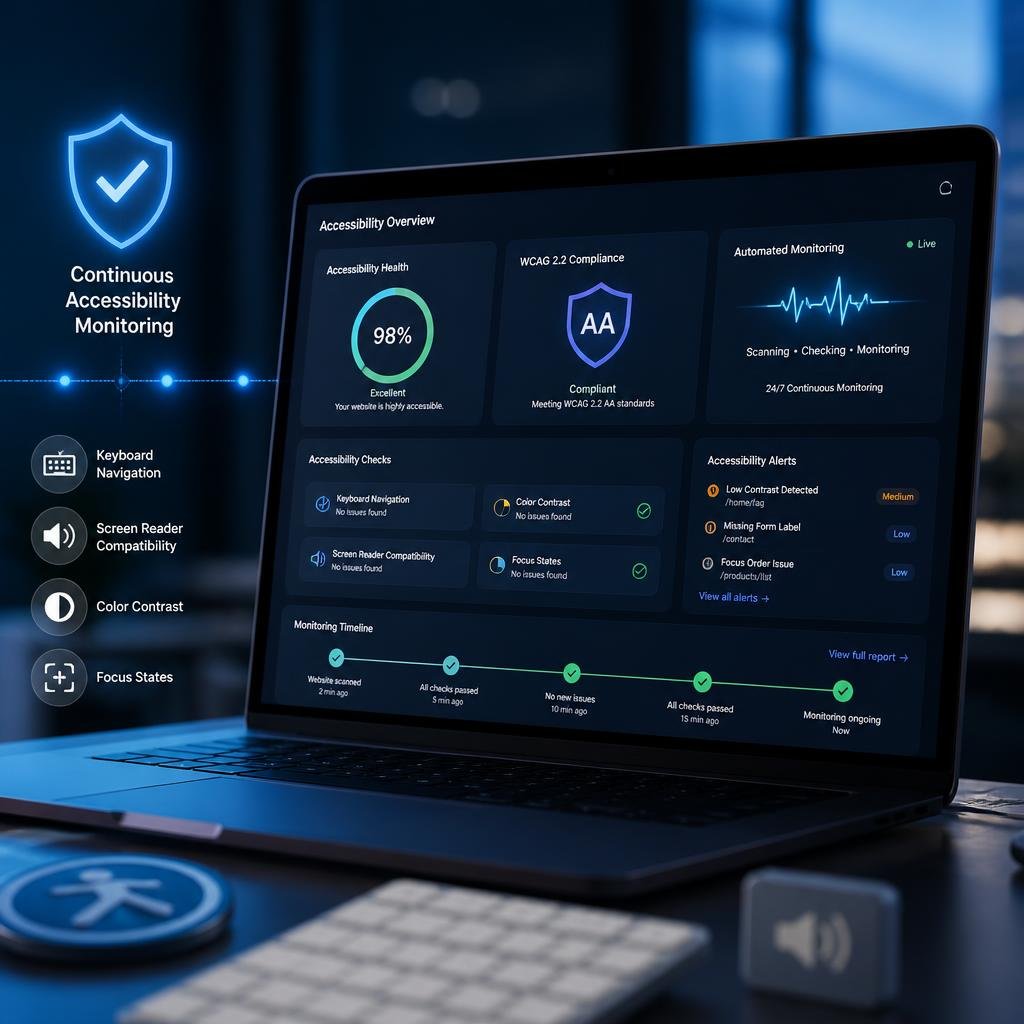
Real continuous accessibility monitoring isn’t running a scanner once a quarter and calling it a day. It’s an ongoing process that watches your critical user journeys and site components against WCAG 2.2 AA standards, all the time, not just when someone remembers to check.
Keyboard Navigation and Focus
Every interactive element on your site needs to be reachable and usable with a keyboard alone — no mouse required. Monitoring tools verify focus order makes logical sense and that focus indicators are visible and high-contrast enough to meet the newer 2.4.11 and 2.4.12 criteria.
Screen Reader Compatibility
This is where a lot of sites quietly fail. Missing or incorrect ARIA labels, roles that don’t match what an element actually does, dynamic content like modals or accordions that never announce themselves to assistive tech — these are the kinds of things that make a site technically “there” but practically unusable for someone navigating with a screen reader.
Color Contrast Across Every State
It’s not enough to check contrast once on a static screenshot. Monitoring needs to catch contrast issues across hover states, focus states, disabled buttons — anywhere text or icons might quietly slip below WCAG 2.2’s enhanced expectations for low-vision users.
The New WCAG 2.2 Criteria Specifically
WCAG 2.2 introduced nine new success criteria, and a few are easy to miss if you’re not watching for them directly:
- 2.5.8 Target Size (Minimum) — clickable elements need to be at least 24×24 CSS pixels
- 3.3.7 Redundant Entry — users shouldn’t have to re-enter information they already gave you in the same session
- 3.3.8 Accessible Authentication — no more forcing people through cognitive puzzles just to log in, like memorizing a password with no show/hide toggle
Good monitoring checks these at both the page level and the component level, so a broken header or a form buried three clicks deep doesn’t slip through unnoticed.
Why You Can’t Just Rely on a Scanner
Automated website accessibility scanning tools are genuinely useful. Nobody’s arguing against them. But depending only on them gives you a false sense of security, because they typically catch somewhere between 30% and 40% of real accessibility issues.
They’re great at flagging missing alt text, obvious contrast failures, empty buttons, and broken ARIA syntax. What they can’t do is tell you whether a page’s reading order actually makes sense to someone using a screen reader, whether your link text means anything out of context, whether a drag-and-drop feature has a workable alternative, or whether your instructions are clear enough for someone processing information differently than you expect.
That’s why the sites getting this right combine automated scanning with manual review from people who actually understand assistive technology, plus real testing sessions with screen reader users, magnifier users, and people navigating by voice. The scanner catches the obvious stuff fast. The humans catch what actually matters to a real person trying to get something done on your site. This is exactly the gap that proper accessibility remediation is built to close once monitoring flags an issue.
The Legal Reality Is Getting Harder to Ignore
The numbers here aren’t subtle. In 2025, federal courts saw 3,117 ADA website lawsuits filed — a 27% jump from the year before. Factor in state courts and the total climbs past 5,000. Early data suggests 2026 is on track to blow past 5,500 filings, which would make it the worst year yet.
Here’s the part that should really get your attention: 77 defendants sued in July 2026 alone had already been sued once before. Getting fixed one time clearly isn’t stopping repeat litigation. And separately, roughly 94.8% of websites still fail basic accessibility checks — so honestly, non-compliance is closer to the norm than the exception right now.
Ongoing monitoring gives you an early warning system before a regression turns into a lawsuit. It creates a paper trail showing you were actively maintaining compliance, which matters a lot if you ever end up in court. And fixing a bug while it’s still sitting in staging is a fraction of the cost of an emergency post-lawsuit scramble.
If you’re in government or education, the stakes are climbing even faster. Government-sector ADA suits jumped from 7% to 18% of total filings between 2024 and 2025, and education-related cases have roughly tripled following a handful of high-profile rulings.
How to Actually Build a Monitoring Program
Getting this right takes some planning, but it’s not complicated once you break it down.
Start by figuring out what needs watching. Take inventory of every public-facing site, app, and digital service you run, then prioritize the ones with the highest traffic or the highest stakes — think checkout flows, admissions portals, benefits applications. Map out the journeys people actually take through those systems, like applying for aid or renewing a license, and monitor those specifically.
Pick tools that actually cover WCAG 2.2. Not every accessibility scanner has caught up to the newer criteria like Target Size or Focus Not Obscured, so check for that specifically. Look for tools that support scheduled scans as well as on-demand checks you can run pre-deployment, ideally built right into your CI/CD pipeline. Developer-friendly reporting matters too — a report full of jargon nobody on your team understands isn’t going to get fixed quickly.
Set a realistic testing rhythm. Run automated scans daily, or on every deploy if you can swing it. Bring in a manual review from actual accessibility experts on your highest-priority pages every quarter. And don’t skip real assistive technology testing — aim for at least twice a year with people who genuinely rely on screen readers, switch devices, or voice control day to day.
Build it into how your team already works. Add accessibility criteria to user stories before development even starts. Require accessibility checks as part of pull request reviews, not as an afterthought. And spend some time actually training your developers and designers on what WCAG 2.2 requires and where teams commonly trip up.
Track it and keep iterating. A centralized dashboard showing your compliance scores and open issues keeps everyone honest. Reporting those numbers to leadership every quarter helps you keep the budget and buy-in you need. And when you spot the same kind of failure showing up repeatedly, that’s usually a sign of a systemic issue buried in your design system — worth fixing at the root instead of patching one instance at a time.
Don’t forget the paperwork. Document your monitoring program as part of your official accessibility policy. Add accessibility maintenance clauses to vendor and agency contracts. And before you plug in any third-party tool or SaaS component, make sure it actually meets your WCAG 2.2 AA bar — because their gaps become your liability.
Where This Leaves You
Look, nobody wants to keep paying for accessibility work. I get it. You had an audit done, your dev team fixed the flagged issues, everyone moved on to the next sprint. That’s usually where it ends.
But that audit was a photo, not a video. It showed you one moment in time. Your site kept changing after that — new pages went up, a plugin auto-updated over the weekend, someone on the marketing team dropped in a carousel widget they found on a third-party marketplace. None of that gets checked unless you’re actually watching for it.
I’ve seen teams get comfortable after passing an audit, only to get hit with a lawsuit eighteen months later for something that had nothing to do with what got fixed the first time. That’s the pattern showing up in the lawsuit data too — repeat defendants aren’t rare anymore, they’re becoming the norm.
If your site’s been sitting on a year-old audit report, it’s probably worth finding out what’s changed since then. Sometimes it’s nothing major. Sometimes it’s a checkout button that quietly stopped working for keyboard users three months ago and nobody noticed.
Either way, it’s better to know now than to find out from a demand letter.
Want to see where you actually stand today? Grab a free accessibility snapshot and find out.